


Cordless Mini Turbo Fan
Cordless Mini Turbo Fan
USB-C — no cartridges, nothing to run out of
Order today — get it between - and -.
Shipping & returns
Shipping & returns
Free tracked shipping, dispatched within 24–48 hours, typically 5–7 business days in the US. Full refund within 30 days of delivery.
What's in the box
What's in the box
The palm-sized cordless air duster and a USB-C charging cable.
30-day money-back guarantee
30-day money-back guarantee
Clean the worst thing on your desk. Doesn't do the job? Full refund within 30 days of delivery.

Cordless Mini Turbo Fan


 Cleaning Tools
USB-C rechargeable · palm-sized · 30-day guarantee
Cleaning Tools
USB-C rechargeable · palm-sized · 30-day guarantee
Everyone advertises RPM. Nobody advertises month seven.
Search this category and every listing looks the same: the same black tool, a bigger number on the box, fifteen dollars. Then read the reviews. “Dead on arrival.” “Died after 2 uses.” “The main board burnt out.”
So we’re not going to lead with a speed figure, because the clone that already let you down claims a bigger one. What matters here is whether it still works next spring — which is why it ships with a 30-day return and why we’d rather you judged it on the third clean than the first.
 What it replaces
Canned air is a subscription you never agreed to

Buy it, half-use it, throw it away
A can gives you a short burst, gets ice-cold as it empties, and then it’s a piece of steel in the bin. Most people who clean a PC or a keyboard regularly get through several a year without ever adding it up.
This one charges over USB-C
Same cable as your phone. No cartridges, no refills, nothing to run out of halfway through a job — which is the actual difference in daily use.
Get one — $39.99What it gets used onEverything with a grille or a gap
 Under the keycaps
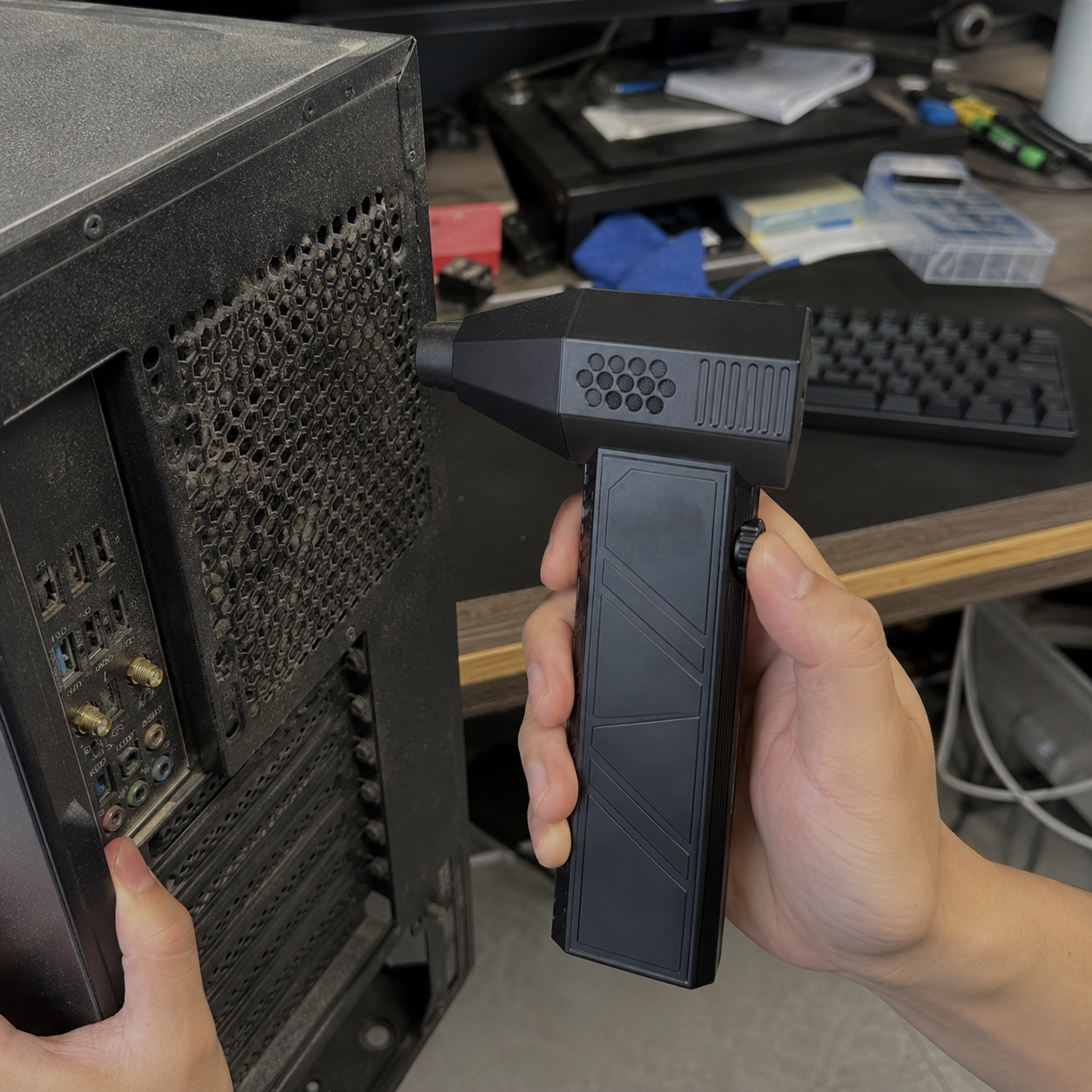
 PC internals
 Laptop cooling vents
 Dashboard vents
 Camera gear
 Console vents
 Drying washed keycaps
 Desks and drawersOne thing most tutorials skip
Hold the fan blade before you blow it
Spinning a fan with air can damage it
Blowing hard into a case fan or a GPU fan spins it far faster than it was designed to turn, with no power to the motor. Done often enough that’s how bearings get noisy and how a fan starts generating current it wasn’t meant to.
So put a finger on a blade to hold it still, then blow. Ten seconds of care, and it’s the difference between cleaning a PC and quietly wearing it out.
Why this formatFour practical differences
Fits in a palm
Desk drawer, glovebox, camera bag. Small enough that you actually keep it near the mess.
USB-C
The cable you already own. No proprietary brick, no cartridges.
Nothing to throw away
No steel can in the bin every few months.
Keeps going
A can fades and freezes as it empties. This runs at the same strength until the battery does.
Let's be straight with youWhat this is, and what it isn’t
It moves room air, not dry gas. That’s the one genuine technical argument for a can, and it deserves a straight answer rather than a slogan: a can delivers dry propellant, this pushes whatever air is in your room. In normal indoor conditions that isn’t an issue — but don’t use it on cold electronics in a steamy bathroom or a damp garage, and let anything you’ve just washed dry properly before powering it on.
A can still wins on peak burst. People in this hobby have measured it and sometimes the can shifts more in one short blast. What this wins on is not running out: you can keep going for a whole clean instead of rationing a can.
It doesn’t vacuum. It moves dust; it doesn’t collect it. Do a PC outdoors or over a bin, not over the carpet you just hoovered.
It’s loud. Anything spinning that fast is. Short bursts, and don’t hold it next to your ear.
In real useDesks, cars and camera bags


 Against the alternatives
Honest comparison
| ECDF mini turbo fan | Canned air | Vacuum cleaner | Full-size blower | |
|---|---|---|---|---|
| Never runs out mid-job | ✓ | ✗ | ✓ | ✓ |
| Fits in a drawer or camera bag | ✓ | ~ | ✗ | ✗ |
| Nothing to throw away | ✓ | ✗ | ✓ | ✓ |
| Precise enough for a keyboard | ✓ | ✓ | ~ | ✗ |
| Collects the dust rather than moving it | ✗ | ✗ | ✓ | ✗ |
| Delivers dry gas | ✗ | ✓ | — | ✗ |
Two crosses in our own column. If you need the dust gone rather than moved, use a vacuum — and a can genuinely is drier.
4.6 / 5 — 5,890 verified reviewsWhat owners say
Third one I’ve owned. First one still working after the winter.
Stopped buying cans. That was the whole point.
Lives in my camera bag now.
Customer reviews4.6 out of 5
The other two died inside three months. This one has done a full winter of PC cleans.
I was getting through four or five a year. Haven’t bought one since.
Sensor and lens dust before a shoot. Small enough that it just lives in there.
Works brilliantly, but it moves dust rather than collecting it. Learned that over my rug.
Bought it for the keyboard. Use it more on the dashboard.
30Day guaranteeClean the worst thing on your desk
Your keyboard, the inside of your PC, the vents on the laptop that runs hot. If it doesn’t do the job, or it doesn’t feel like it will last, send it back within 30 days of delivery for a full refund.
Get one — $39.99Questions? We've got answersFrequently asked questions
How is this different from your Cordless Turbo Blower?
Different jobs. The 21 V Turbo Blower is a garage tool for drying a car, clearing a deck and moving a lot of air. This is a palm-sized desk tool for keyboards, PC internals, camera gear and vents. If you want one for the car, buy that one; if you want one for the desk, buy this.
Is it as strong as a can of compressed air?
On a single short burst, a can can shift more — people in this hobby have measured it and we’re not going to argue with them. Where this wins is that it doesn’t fade, freeze or run out, so you finish the job in one go.
Does it blow moisture into my electronics?
It moves the air that’s in your room, so in normal dry indoor conditions it’s not a problem. Don’t use it on electronics in a humid room or a damp garage, and let anything you’ve washed dry fully before powering it up.
Can I use it on my PC fans?
Yes, but hold each fan blade still with a finger while you blow it. Free-spinning a fan with an airstream turns it far faster than it’s built for, which is how bearings get noisy.
Does it replace a vacuum?
No. It moves dust rather than collecting it. Clean a PC outdoors or over a bin, not over the carpet.
How is it charged?
USB-C, with the same cable as your phone. There’s no removable battery and no cartridge.
Is it loud?
Yes. Anything spinning that fast is loud, and we’d rather say so. Use short bursts and keep it away from your ear.
Is it safe on a camera sensor or lens?
Use it at a distance and at the lower speed on optics, and always with the lens cap logic in mind — blow loose dust off, don’t blast a sensor at point-blank range. For a sensor clean proper, use the tools made for it.
What’s in the box?
The duster and a USB-C charging cable.
What’s shipping like?
Orders ship within 24–48 hours with tracking, typically 5–7 business days in the US.
Cleaning ToolsRechargeable electric air duster for household and office use. It blows ambient room air; it is not a source of dry compressed gas and it does not collect dust — use it where the displaced dust can settle safely, not over furnishings. Not a vacuum cleaner and not a substitute for one. Always wear eye protection: the airstream carries dust and debris. Never direct the airstream at people, animals or faces, do not use it on hazardous dust, powders, chemicals, liquids or hot ash, and keep fingers, hair and loose clothing clear of the intake and outlet. Hold cooling fans stationary before blowing them. Allow washed items to dry fully before reconnecting power. Charge indoors via USB-C with a standard charger, away from heat, and stop using the product if the battery is damaged, swollen or the unit becomes hot. Not a toy; keep out of reach of children. Reviews reflect individual experiences.